The All Coins Page is a page where members all post their coin bonuses so everyone may benefit. All you do is like the page, then simply start claiming. Click the below image to start Claiming today!
CLAIMING COINS
You CAN claim from NON FRIENDS. So if we ALL POST our largest bonus each day, EVERYONE can claim and we can ALL end up with enough coins to help us through the game.
It will only work if everyone POSTS coins.
You will NOT see a box open when you click on a claim link. All you will see is your COINS INCREASE.
Make sure you know what your coins amount is before you start claiming coins to verify the addition of the coins to your total.
REMEMBER to claim ONE AT A TIME.
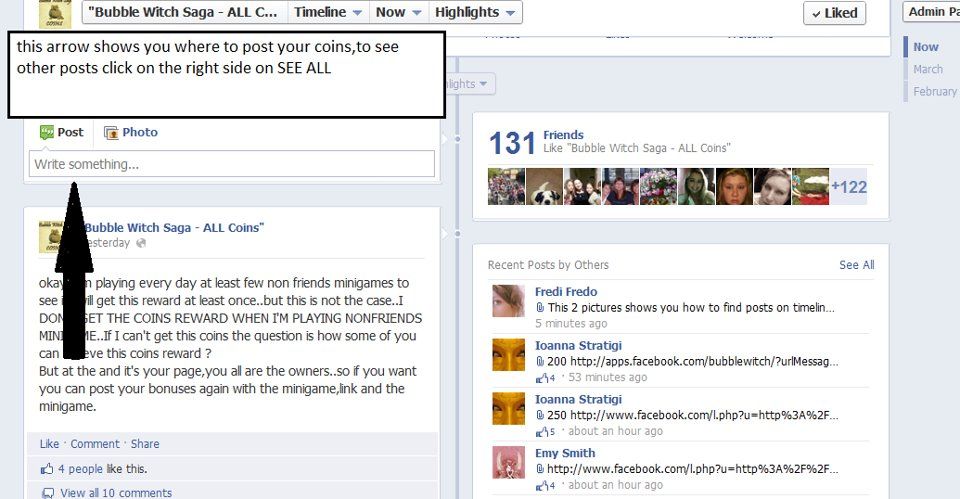
REMEMBER to click “SEE ALL” on “RECENT POSTS
BY OTHERS” so you will see ALL the coins posted by
members.
You can claim YOUR OWN POSTS.
HOW TO POST YOUR BONUS COINS
1. RIGHT CLICK (wrong side of your mouse) on your OWN BONUS.
2. Select COPY.
3. Go to the ALL COINS PAGE, type in the amount of the bonus in the box, then RIGHT CLICK and select PASTE.
4. Click on POST.
Still not sure? Watch this VIDEO. It will walk you through it step by step:
HOW TO POST MINIGAME REWARD
After you have played the game and know your award:
1. Click on " Play Now." It goes to Game Notifications.
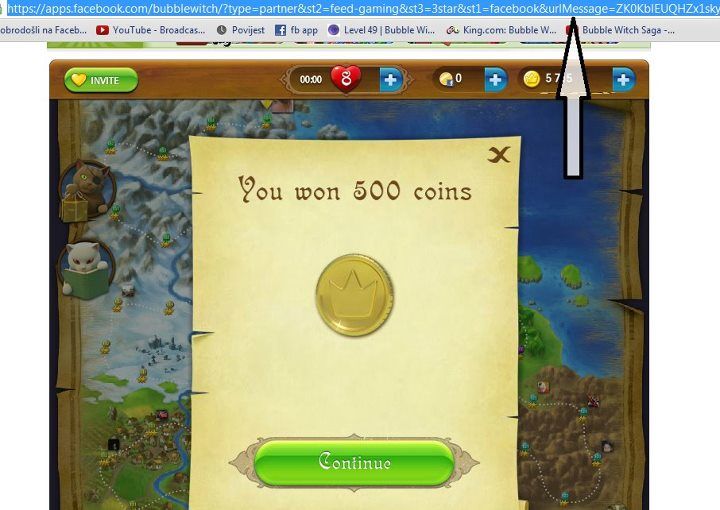
2. Right click on the address bar
3. Copy the address bar
4. Go to the All Coin page
6. Right click in the appropriate space
7. Type in the amount of coins
8. Paste
Still not sure?
See this image and read instructions in the comments.
Bubble Witch Saga is a free game and puzzle! Along with the rules, we have free coins, videos, tips, tricks and cheats on our All Help Group website. And join our Group on Facebook for interactive support for members!